So you have downloaded Diable Companion, interface to the mighty Diable blackjack analysis engine. Congratulations! We think it is fairly intuitive to use once you have got started, so let's get started now.
On first opening, you are presented with a Sign-in dialog:
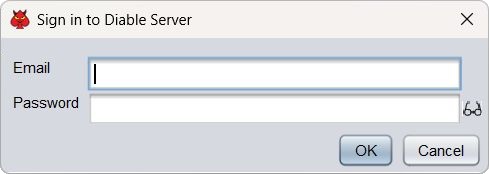
If you have a Diable account, you can sign in to it. If not, you can create one at blackjackfederation.com, but for now you can also click Cancel, or press the Escape key, and use Companion without a subscription. The hints in that case will only be basic strategy, but you can get used to its workings in this offline mode.
You can tell immediately whether you are on or offline, because online hints are magenta, offline hints are grey.
You are then presented with the main window and a card entry widget.
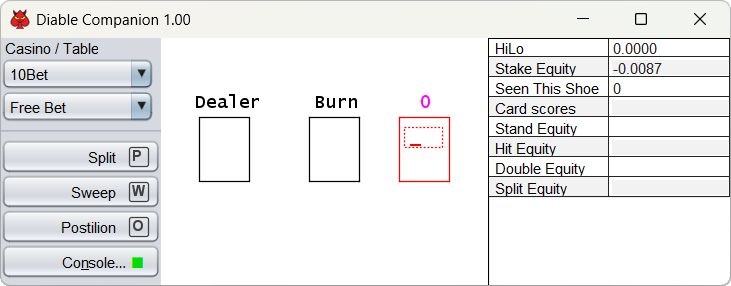
Use the Casino and Table controls to choose an online live table to simulate. We have analysed a selection of the best. If there is a table you can't find there and would like us to include, let us know. We can usually add them fairly quickly.
Different tables have different numbers of Seats (the boxes in the middle). The Free Bet table illustrated here has one, but some of them have up to seven. The Easy table has none at all. You can resize the main window so the seats fit comfortably in it. You use these Seat boxes to enter the cards dealt to each hand.
Burn and Dealer are special seats. Dealer is for the dealer's cards(!). Burn is for any cards you happen to see that can't be entered elsewhere, for instance if you are playing an infinite/shared seat and another player hits or splits when you stand.
The Action buttons are for actions that may happen in addition to cards being dealt.
The Console button opens the Console, where you can change Companion's settings.
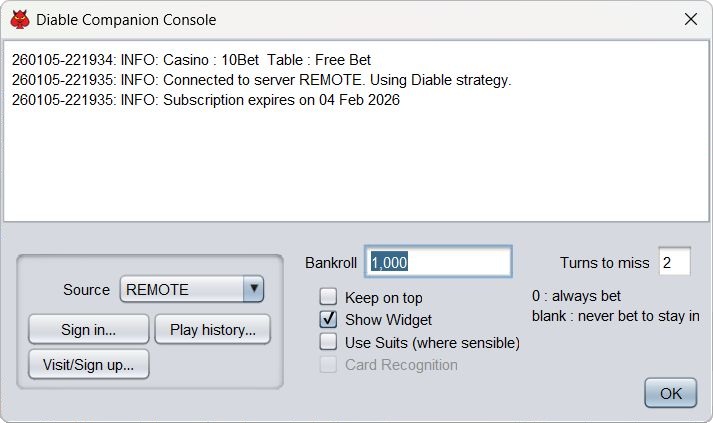
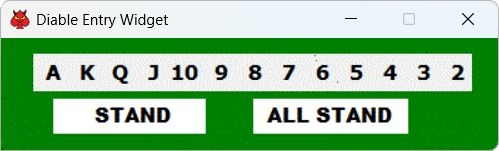
You can enter cards using the keyboard or the Widget. For the game of blackjack itself, suits have no significance, and you only need enter ranks. Suits do matter for some side bet decisions, though usually not very much, and you can switch on suit entry using the checkbox in the Console if you like. Where it makes no sense, the option will have no effect.
When entering ranks, type A, 2-9, T, J, Q or K. Note, when typing, 10 is T. Or click the appropriate spot in the Widget.
If using suits, type H, D, C or S. You can type the rank and suit either way round.
Cards are entered in the currently focused box (red outline). You can alter or delete cards, or insert elsewhere in the hand using the Insert key, or drag them around if they are in the wrong place. Play around to see what works.
Use RETURN, ENTER, TAB or SPACE to stand, or just move to the next hand; HOME or END for All Stand (move straight to dealer); arrow keys just to move around.
When typing, you can also use the keys shown on the Action buttons as shortcuts.
As you enter cards and take other actions, the hints will change as appropriate, telling you the optimum amount to stake (including any side bets), or the best play.